FUNCTIONS IN C
📚 Topics Covered
- What is a Function?
- Types of Functions
- What is a User Defined Function?
WHAT IS A FUNCTION?
DEFINITION:
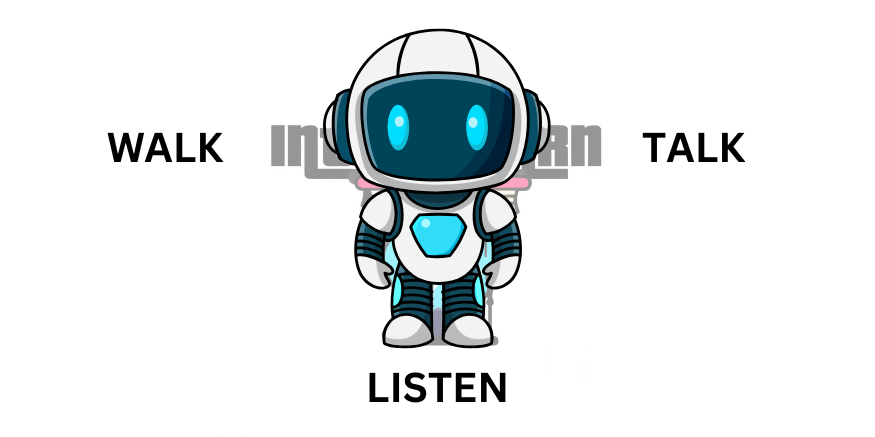
A function is a block of code which performs specific tasks. For example, a robot can only
WALK TALK & LISTEN because we have created only these 3 functions inside robot which he can perform.
Think about it as Whatsapp, in which we can only do chat,voice call, video call. We cannot play games inside it
as its program is given to only do chatting and all.
In the above example, We have created an FUNCTION named greet() where it displays Welcome to Intelle Learn!!!.
TYPES OF FUNCTIONS
There are 2 types of functions in C:
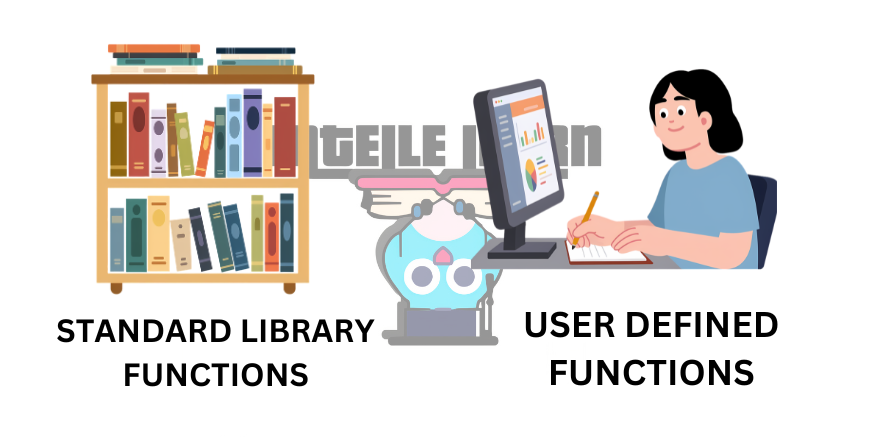
1. STANDARD LIBRARY FUNCTION
WHAT IS A STANDARD LIBRARY FUNCTION?
Functions which are already CREATED and stored inside a HEADER FILE i.e
The code of the function which are already written and stored inside the header files are the
STANDARD LIBRARY FUNCTIONS.
For example, printf() is the standard library function. The code of the printf() is
stored inside the header file stdio.h
According to research there are more than 20+ header files in C programming. There are 30 standard
header files in the modern C programming language as of the latest C23 standard.
Some of the Common Standard Header Files:
- stdio.h -> Standard input and output operations (E.g., printf and scanf )
- stdlib.h -> General utility functions like memory allocation and process control (E.g., exit )
- string.h -> Functions for manipulating arrays of characters (strings) (E.g., strcmp and strcat )
- math.h -> Common mathematical functions (E.g., sqrt and pow )
2. USER DEFINED FUNCTION
WHAT IS AN USER DEFINED FUNCTION?
Functions which are created by the USER in the program. You can create any functions which you want to.
For example, if a user wants to create a function which will first give you greetings and ask for your ROLL NO
& PERCENTAGE
SYNTAX OF FUNCTION:
THERE ARE 3 SYNTAX OF FUNCTION
- Function Declarartion
- Function Definition
- Function call
SYNTAX: FUNCTION DECLARATION
returntype functionName(parameters);
In the above syntax, parameters are the requirements of the functions. If you dont fulfil the
requirement of the function it will give an ERROR!!
EXAMPLE:
void greet();
In the above example we have declared a function named as greet()
SYNTAX: FUNCTION DEFINITION
returntype functionName(parameters)
{
	//body of function
}
The above syntax is used to create a function which consists a block of code which performs specific task.
EXAMPLE: FUNCTION DEFINITION
void greet()
{
	printf("Welcome to Intelle Learn - Your Ultimate source for Learning!!\n");
}
In the above example, we have create a function named as greet() which displays Welcome to Intelle Learn - Your Ultimate source for Learning!!
SYNTAX: FUNCTION CALL
functionName(arguments);
In the above syntax, arguments are the values passed to the functions. If you dont give the
argument to the function it will give an ERROR!!
EXAMPLE:
greet();
In the above example since greet() does not have any parameters hence we dont pass any arguments during function call.
EXAMPLE: USING greet() FUNCTION
#include <stdio.h>

void greet();	//function declaration

int main()
{
	greet();	//function call

	return 0;
}

void greet()
{
	printf("Welcome to Intelle Learn - Your Ultimate source for Learning!!\n");
}
In the above example we have created greet() function which display Welcome to Intelle Learn - Your Ultimate source for Learning!!
on the output screen when the function is called inside the main function.
OUTPUT
Welcome to Intelle Learn - Your Ultimate source for Learning!!
We used greet() function call inside main() function to execute the function.
WHAT ARE FEATURES OF FUNCTIONS?
1. CODE REUSABILTY
A function can be used many times in a program without rewriting the same code again.
EXAMPLE
greet();
greet();
greet();
2. MODULARITY
Function divide a large program into smaller parts(program), making the program
organized and easier to understand.
3. EASY DEBUGGING
Errors can be found and fixed easily because each function performs a specific task.
4. REDUCES CODE LENGTH
Using functions avoid repeating code, which makes programs shorter and cleaner.
5. IMPROVE READABILITY
Programs become easier to read because each function has a meaningful name describing
its work.
EXAMPLE
getDetails();
displayDetails();
Video Explanation
If video not loading,watch on YouTube
Practice Task
Write a program to create areaOfCircle() which calculates the area of circle.
🚀 Challenge
Try to create a Cafe Management System using Function
Solve in Compiler