FLOW CONTROL IN C
📚 Topics Covered
- What is a Conditional statement?
- if else statement
- Types of conditional statements
- What is a Looping statement?
- for loop
- while & do-while loop
- break and continue
- Switch statement
- Difference between if-else ladder & switch statement
- go to statement
WHAT IS A CONDITIONAL STATEMENT?
DEFINITION:
Conditional statements in C programming are used to control the flow of program. You can think about conditional
statements like a TRAFFIC SIGNAL, if signal is RED Stop the vehicle and signal is GREEN You can go.

In the above example, if the signal color is red stop the vehicle & if the signal is green You can go.
IF ELSE STATEMENT
DEFINITION:
if-else statement is a conditional statement used in C programming. If the given condition is true if block of code
is going to be executed & if the condition is false else block of code is going to be executed.
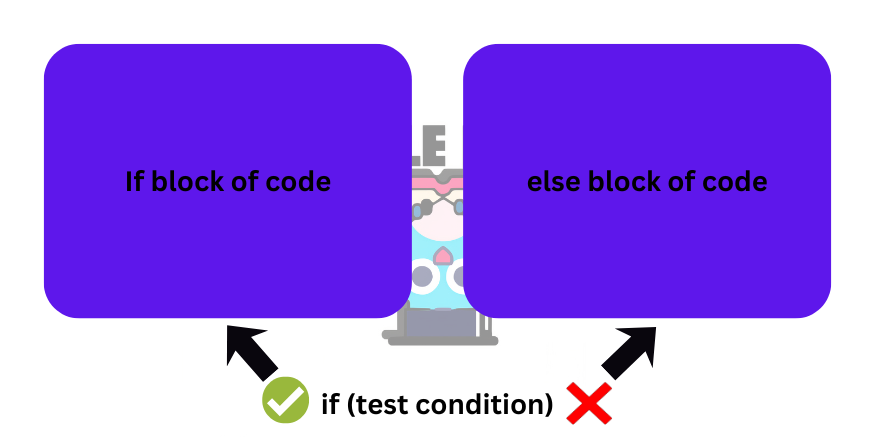
The above image shows you the flow control of the if else statement.
TYPES OF CONDITIONAL STATEMENTS
There are 4 types of conditional statements in C:

1. IF STATEMENT
DEFINITION:
if statement is a conditional statement used in C programming. If the given test condition is true if block of code
is going to be executed.
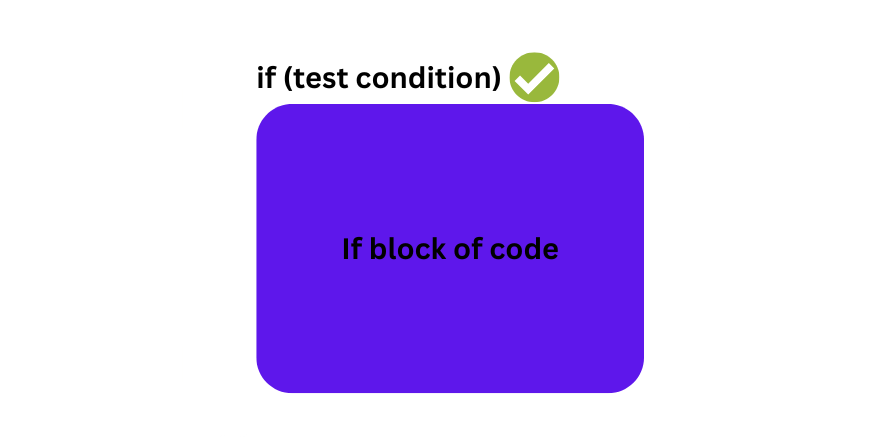
if the condition is true the if block of code is going to executed. If false, it's going to skip the if block of code.
SYNTAX:
if(test condition)
{
	//if block of code
}
EXAMPLE:
//Write a program to check if the person is elgibile for voting or not

#include

int main()
{
	int age;

	printf("Enter your age: ");
	scanf("%d",&age);

	if(age > 18)
	{
		printf("Youre eligible for voting!!!\n");
	}
	printf("End of program!!!");

	return 0;
}
In the above program, if the condition is true then it will display the if block of code.
OUTPUT 1:
Enter your age: 21
Youre eligible for voting!!!
End of program!!!
OUTPUT 2:
Enter your age: 16
End of program!!!
2. IF ELSE STATEMENT
DEFINITION:
if else statement is a conditional statement used in C programming. If the given test condition is true if block of code
is going to be executed. If the given test condition is false else block of code is going to be executed.
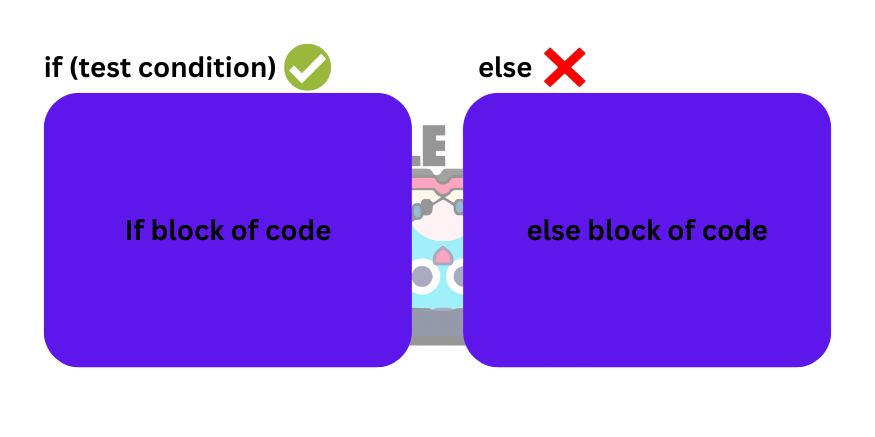
if the condition is true the if block of code is going to executed. If false, it's going to execute the else block of code.
SYNTAX:
if(test condition)
{
	//if block of code
}
else
{
	//else block of code
}
EXAMPLE:
//Write a program to check if the person is elgibile for voting or not

#include

int main()
{
	int age;

	printf("Enter your age: ");
	scanf("%d",&age);

	if(age > 18)
	{
		printf("Youre eligible for voting!!!\n");
	}
	else
	{
		printf("Youre not eligible for voting!!!\n");
	}

	printf("End of program!!!");

	return 0;
}
In the above program, if the condition is true if block of code will execute & if the condition is false else block of code will exceute.
OUTPUT 1:
Enter your age: 21
Youre eligible for voting!!!
End of program!!!
OUTPUT 2:
Enter your age: 16
Youre not eligible for voting!!!
End of program!!!
3. IF ELSE LADDER STATEMENT
DEFINITION:
if else ladder statement is a conditional statement used in C programming. It is used to check many conditions.
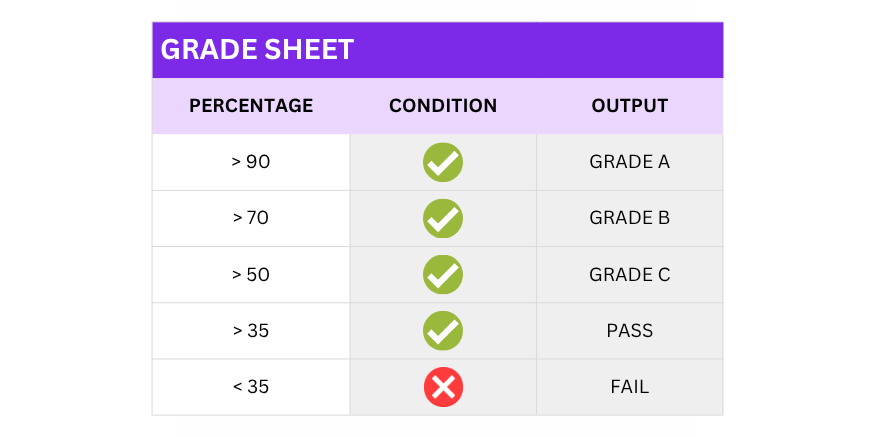
In if & if-else statement we used to check a single test condition. But in if-else ladder we check many test conditions.
SYNTAX:
if(test condition 1)
{

	//if block of code 1

}
else if(test condition 2)
{

	//if else block of code 2

}
else if(test condition 3)
{

	//if block of code 3

}
.
.
.
else
{
	//else block of code
}
EXAMPLE:
//Write a program to check the grades of student

#include

int main()
{
	float percentage;

	printf("Enter percentage: ");
	scanf("%f",&percentage);

	printf("GRADE OBTAINED: ");

	if(percentage > 90)
	{
		printf("A+\n");
	}
	else if(percentage > 80)
	{
		printf("A\n");
	}
	else if(percentage > 70)
	{
		printf("B\n");
	}
	else if(percentage > 60)
	{
		printf("C\n");
	}
	else if(percentage > 50)
	{
		printf("D\n");
	}
	else if(percentage > 35)
	{
		printf("PASS\n");
	}
	else
	{
		printf("FAIL\n");
	}


	return 0;
}
In the above program, there will be 7 different types of output based on the value given by the user.
OUTPUT 1:
Enter percentage: 95
GRADE OBTAINED: A+
OUTPUT 2:
Enter your age: 40
GRADE OBTAINED: PASS
NOTE:
Conditional statements in programming mainly depends on the CONDITION.So, make sure to apply conditions properly.
Instead of using relational operators in test condition in if-else ladder we can also use Logical operators to provide
more precise and less effort towards if else ladder to write multiple block of codes.
To learn about test conditions learn about C fundamentals.
4. NESTED IF ELSE STATEMENT
DEFINITION:
Nested if else ladder statement is a conditional statement used in C programming. It is used to check multiple conditions i.e condition under condition.
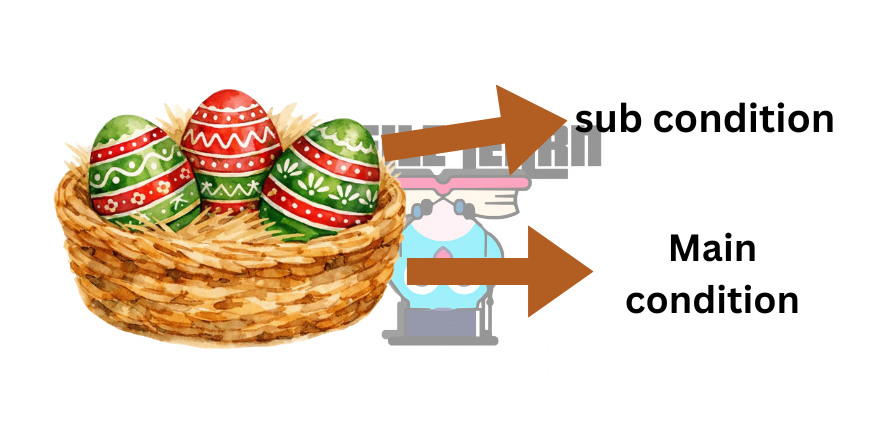
You can think of Nested if else as a NEST where the Nest is the MAIN CONDITION and the eggs are the SUB CONDITIONS.' If the Nest is there (true), eggs will be there (means the sub conditions will be checked whether it is true or false).
SYNTAX:
if(main condition)
{

	//main if block of code

	if(sub condition)
	{
		//sub if block of code
	}
	else
	{
		//sub else  block of code
	}


}
else
{
	//main else block of code
}
EXAMPLE:
//Write a program to check the number is greater than 10 or not. If the number is greater than 10
  check whether the number is even or odd number

#include

int main()
{
	int number;

	printf("Enter a number: ");
	scanf("%d",&number);

	if(number > 10)
	{

		printf("The number is greater than 10.\n");
		if(number%2 == 0)
		{
			printf("The number entered is an Even number.\n");
		}
		else
		{
			printf("The number entered is an Odd number.\n");
		}

	}
	else
	{
		printf("The number is lesser than 10.\n");
	}


	return 0;
}
OUTPUT 1:
Enter a number: 12
The number is greater than 10.
The number entered is an Even number.
OUTPUT 2:
Enter a number: 11
The number is greater than 10.
The number entered is an Odd number.
OUTPUT 3:
Enter a number: 8
The number is lesser than 10.
🎥 Video Explanation
If video not loading,watch on YouTube
WHAT IS A LOOPING STATEMENT?
DEFINITION:
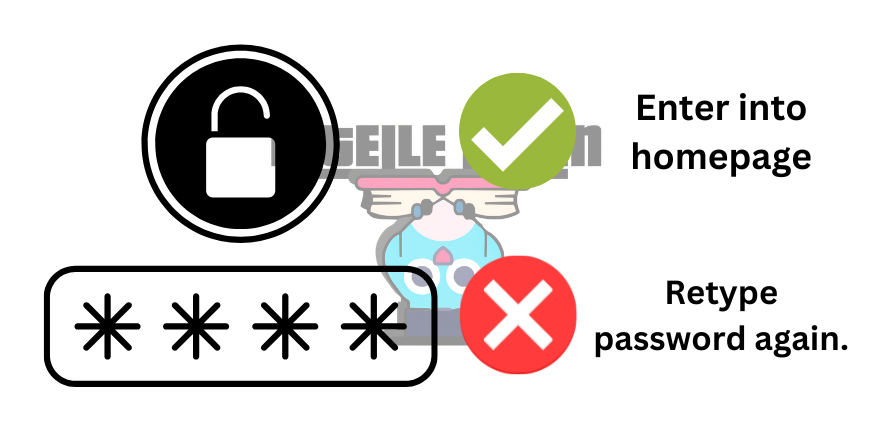
A looping statement is a block of code which is repeated again & again until the condition is false.

The above image shows you the loop in which if the user enters a wrong password the user needs to retype again the password.
TYPES OF LOOPING STATEMENTS
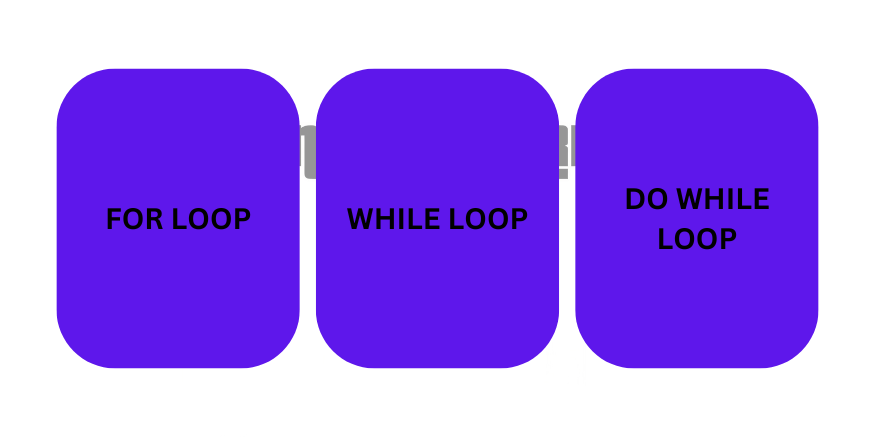
There are 3 looping statements in C:
1. FOR LOOP
DEFINITION:
for loop is a looping statement used in C programming. It is used to repeat a block of code until the specified condition is met.
You can think of for loop as a TRADITIONAL LOOP in which you learn about how an actual looping statement works.

if the condition is true the for loop block of code is going to executed until the condition is false.
SYNTAX:
for(initialization statement; test condition; update statement)
{
	//for loop block of code
}
EXAMPLE:
//Write a program to display "I love Intelle learn!!" 10 times on the screen

#include

int main()
{
	int i;

	for(i=1;i<=10;i++)
	{
		printf("I love Intelle learn!!\n");

	}


	return 0;
}
In the above program, "I love Intelle learn!!" will be displayed 10 times on the output screen using for loop.
OUTPUT:
I love Intelle learn!!
I love Intelle learn!!
I love Intelle learn!!
I love Intelle learn!!
I love Intelle learn!!
I love Intelle learn!!
I love Intelle learn!!
I love Intelle learn!!
I love Intelle learn!!
I love Intelle learn!!
2. WHILE LOOP
DEFINITION:
while loop is a looping statement used in C programming. It is used to repeat a block of code until the specified condition is true.
The while loop will execute until the condition is true. You can think of while loop as UNLIMITED LOOP
while loop depends only on the test condition whether it is true or false.
SYNTAX:
while(test condition)
{
	//while loop block of code
}
EXAMPLE:
//Write a program to display "I love Intelle learn!!" 10 times on the screen

#include

int main()
{
	int i = 1;

	while(i<=10)
	{
		printf("I love Intelle learn!!\n");
		i++;

	}


	return 0;
}
In the above program, "I love Intelle learn!!" will be displayed 10 times on the output screen using for loop.
OUTPUT:
I love Intelle learn!!
I love Intelle learn!!
I love Intelle learn!!
I love Intelle learn!!
I love Intelle learn!!
I love Intelle learn!!
I love Intelle learn!!
I love Intelle learn!!
I love Intelle learn!!
I love Intelle learn!!
NOTE:
As while loop only has test condition to execute the loop without updating the value of the variable. We use
Increment & Decrement operator to update the value so that the while loop must be stopped at certain point.
To learn about test conditions learn about C fundamentals.
2. DO WHILE LOOP
DEFINITION:
do while loop is a looping statement used in C programming. In do while loop, first the block of code is executed
and then the test condition is checked whereas in while loop first the test condition is checked &
afterwards the block of code is executed.
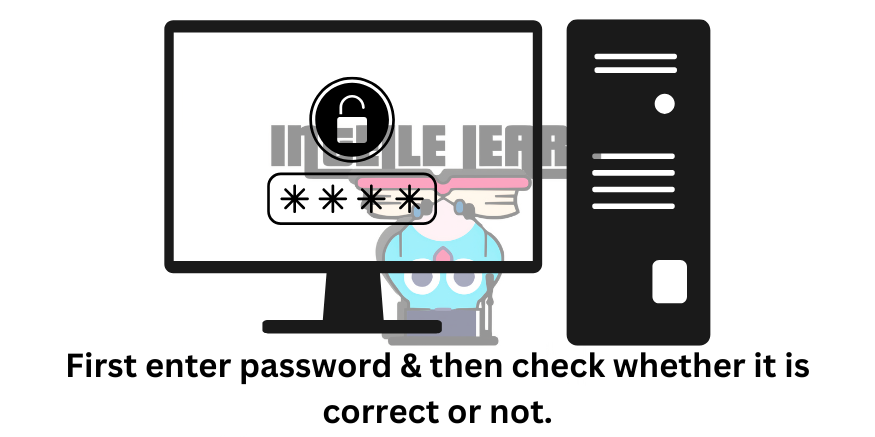
do while loop first executes the body of code and then the test condition is checked.
SYNTAX:
do
{
	//do while loop block of code
}
while(test condition);
EXAMPLE:
//Write a program to display "I love Intelle learn!!" 10 times on the screen

#include

int main()
{
	int i = 1;

	do
	{
		printf("I love Intelle learn!!\n");
		i++;

	}
	while(i<=10);


	return 0;
}
In the above program, "I love Intelle learn!!" will be displayed 11 times on the output screen as last loop will first execute
and then the test condition is checked in do while loop.
OUTPUT:
I love Intelle learn!!
I love Intelle learn!!
I love Intelle learn!!
I love Intelle learn!!
I love Intelle learn!!
I love Intelle learn!!
I love Intelle learn!!
I love Intelle learn!!
I love Intelle learn!!
I love Intelle learn!!
I love Intelle learn!!
DIFFERENCE BETWEEN WHILE & DO WHILE LOOP:
The only difference between these 2 loops is that the while loop will first check condition and execute the block of code whereas
in do while loop first the block of code will be executed and then the condition will be checked. And do while loop will execute for once
even though the condition is false at the first iteration itself.
BREAK AND CONTINUE STATEMENT
break and continue statement is used to stop the execution or current iteration of the looping statements depending on the given condition.
In simple, if a looping statement is going to execute 100 times and you want to stop it at 50th iteration i.e (if condition inside
looping statement) we use break and continue statement.
BREAK STATEMENT
DEFINITION:
break statement is used to stop the execution of the looping statement based on the condition. For this, break is used to stop the
execution of the looping.
SYNTAX:
break;
EXAMPLE:
//Write a program to stop the execution of for loop at 50th iteration

#include

int main()
{
	int i;

	for(i=1;i<=100;i++)
	{
		printf("%d\n",i);

		if(i == 50)
		{
			break;

		}

	}


	return 0;
}
In the above program, with the help of break statement the for loop got terminated on 50th loop.
OUTPUT:
1
2
3
4
.
.
.
50

Program exited....
CONTINUE STATEMENT
DEFINITION:
continue statement is used to stop the current iteration of the looping statement based on the condition. For this, continue is used to stop the
execution of the looping.
SYNTAX:
continue;
EXAMPLE:
//Write a program to stop the execution of for loop of the 50th iteration and continue

#include

int main()
{
	int i;

	for(i=1;i<=100;i++)
	{
		printf("%d\n",i);

		if(i == 50)
		{
			continue;

		}

	}


	return 0;
}
In the above program, the continue statement skipped the 50th iteration of the for loop and continueds.
OUTPUT:
1
2
3
4
.
.
47
48
49
51
52
53
.
.
98
99
100

Program exited....
SWITCH STATEMENT
DEFINITION:
switch statement in C programming is used to check case constants given to the expression(variable) by the user.
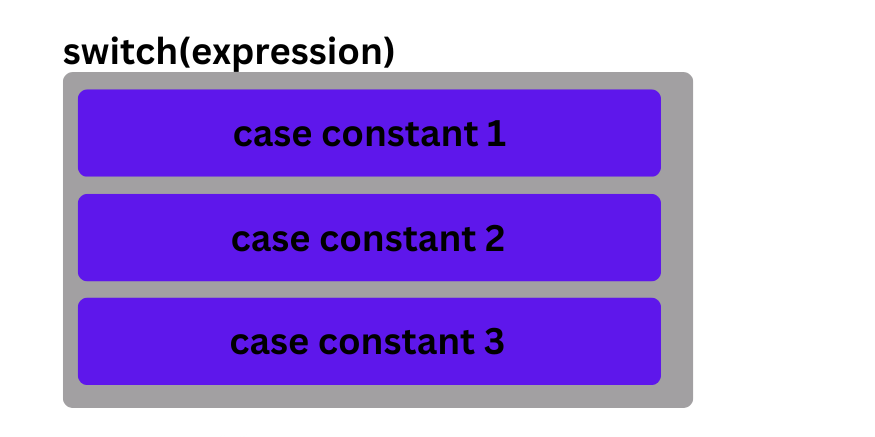
SYNTAX:
switch(expression)
{
	case constant1:
	//code
	break;

	case constant2:
	//code
	break;

	.
	.
	.

	default:
	//code
};
EXAMPLE:
#include

int main()
{
	int option;

	printf("Who is the creator of C programming?\nOPTION 1: Bjarne Stroustrup\nOPTION 2:James Gosling\nOPTION 3:Dennis Ritchie\nOPTION 4: Guido van rossum\n\n");
	printf("-> ");
	scanf("%d",&option);

	switch(option)
	{
		case 1:
		printf("\nIncorrect!!\n");
		break;

		case 2:
		printf("\nIncorrect!!\n");
		break;

		case 3:
		printf("\nCorrect!!\nEXPLANATION: C is created by Dennis Ricthie in the year 1972 at Bell Labs.\n");
		break;

		case 4:
		printf("\nIncorrect!!\n");
		break;

		default:
		printf("\nInvalid Option!!");

	};


	return 0;
}
In the above program, based on the value constant inside the option variable the case constant will execute.
OUTPUT 1:
Who is the creator of C programming?
OPTION 1: Bjarne Stroustrup
OPTION 2:James Gosling
OPTION 3:Dennis Ritchie
OPTION 4: Guido van rossum

-> 3

Correct!!
EXPLANATION: C is created by Dennis Ricthie in the year 1972 at Bell Labs.
OUTPUT 2:
Who is the creator of C programming?
OPTION 1: Bjarne Stroustrup
OPTION 2:James Gosling
OPTION 3:Dennis Ritchie
OPTION 4: Guido van rossum

-> 2

Incorrect!!
OUTPUT 3:
Who is the creator of C programming?
OPTION 1: Bjarne Stroustrup
OPTION 2:James Gosling
OPTION 3:Dennis Ritchie
OPTION 4: Guido van rossum

-> 6

Invalid option!!
🎥 Video Explanation
🧠 Practice Task
Write a program to check if the number is greater than 10.If the number is greater than 10
Check whether the number is an even or odd number.
🚀 Challenge
Try to create a mini project based on the 1st 2 chapters.
Solve in Compiler