Fundamentals of C programming
📚 Topics Covered
- What is a Variable?
- What is a Datatype?
- What is an output function?
- What is an input function?
- What is an Operator & types of operator
WHAT IS A VARIABLE?
DEFINITION:
A variable is a storage area where we hold values. You can think of a variable as a MINI BRAIN where you store a single value.
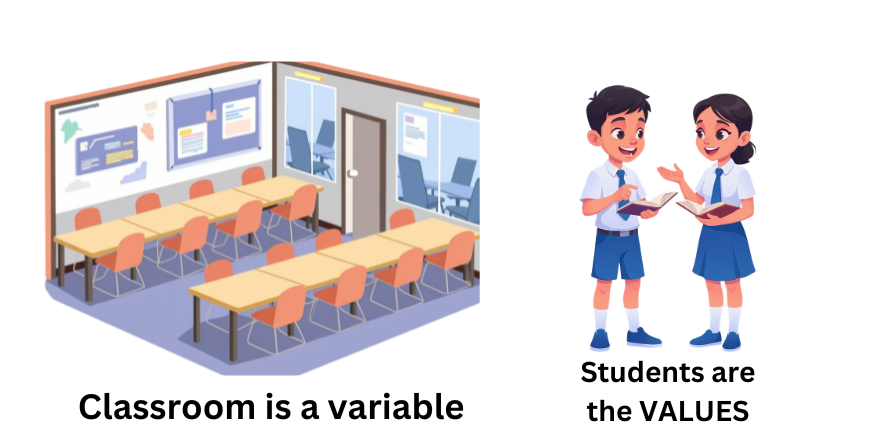
In the above example, classroom is a variable where students are the VALUES.
SYNTAX:
datatype variablename = value;
EXAMPLE:
int total_marks = 100;
🎥 Video Explanation
If video not loading,watch on YouTube
WHAT IS A DATATYPE?
DEFINITION:
Which type of data (value) you are going to store inside a variable is defined by its datatype.
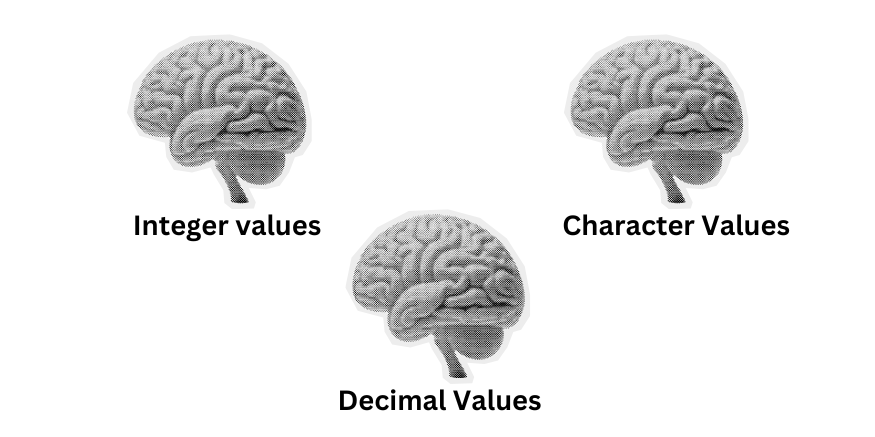
In the above example, classroom is a variable where students are the VALUES.
TABLE OF BASIC DATA TYPES
| DATA TYPE | SIZE | FORMAT SPECIFIER |
| int | 4 bytes | %d |
| char | 1 byte | %c |
| float | 4 bytes | %f |
| double | 8 bytes | %lf |
EXAMPLE:
int total_marks = 100;
char alphabet = 'I';
float decimal1 = 10.45;
double decimal2 = 89.765;
In the above example,
- int datatype is used to store integer values (-100, 578, 2000 and more).
- char datatype is used to store char values ('n', 'i', 'H', '2' and more).
- float datatype is used to decimal values (1.23, 99.876, -98.54 and more).
NOTE: Character values are stored within ' '.
🎥 Video Explanation
If video not loading,watch on YouTube
WHAT IS AN OUTPUT FUNCTION?
DEFINITION:
printf() function is the output function used in C programming. It is used to display the formatted text on the output screen.
You can think of printf() function as the MOUTH of the computer.

In the above example, computer is welcoming to you all on behalf of Intelle learn.
SYNTAX:
printf(" text that must be displayed on the output screen ");
EXAMPLE:
printf("Welcome to Intelle Learn everyone - I hope you're enjoying the learning!!! ");
OUTPUT:
Welcome to Intelle Learn everyone - I hope you're enjoying the learning!!!
WHAT IS AN INPUT FUNCTION?
DEFINITION:
scanf() function is the input function used in C programming. It is used to take input (value) from the user
and store it inside the variable. You can think of scanf() function as the EARS of the computer.
Where computer is listening to us and storing inside it's mini brain.
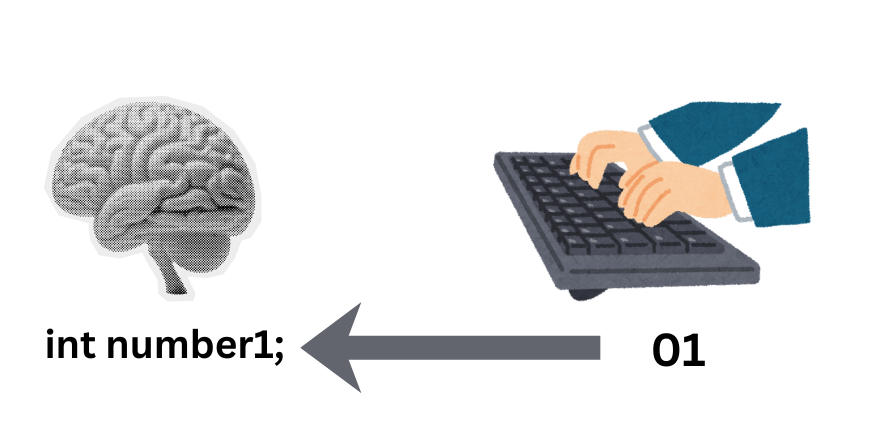
In the above example, computer is stored the value 01 which we gave through keyword and stored inside number1 variable.
SYNTAX:
scanf("format specifier",&variablename);
Here & is address operator which is used to give the address (location) of the variable where we have to store the values.
EXAMPLE:
#include <stdio.h>

int main()
{
	int number1;

	printf("Enter a number: ");
	scanf("%d",&number1);

	printf("The number you have entered is: %d\n",number1);

	return 0;
}
In the above example, computer is asking an integer value from the user using printf() function and after the value given by user
through keyword scanf() is taking the value and storing the value inside the number1 variable. Then, printf() is used to display the
value which is stored inside the variable by the user.
OUTPUT:
Enter a number: 56
The number you have entered is: 56
🎥 Video Explanation
If video not loading,watch on YouTube
WHAT IS AN OPERATOR?
DEFINITION:
An operator is a symbol which is used to perform mathematical operations.
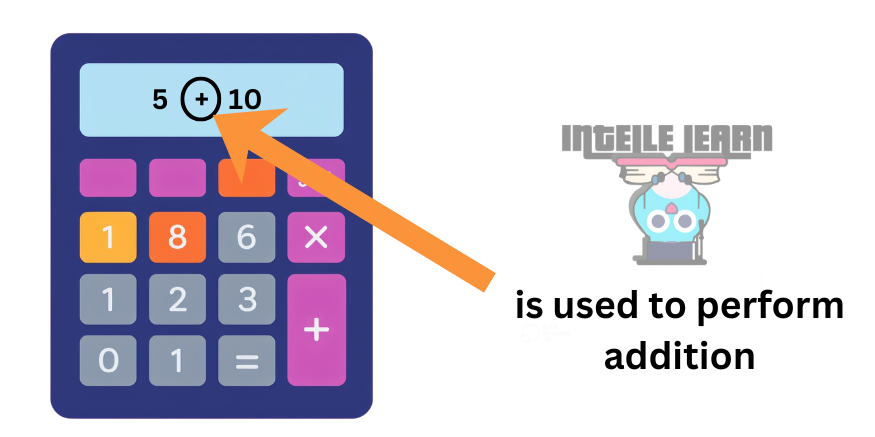
In the above example, in calculator we use + to perform addition between two variables or variable and value.
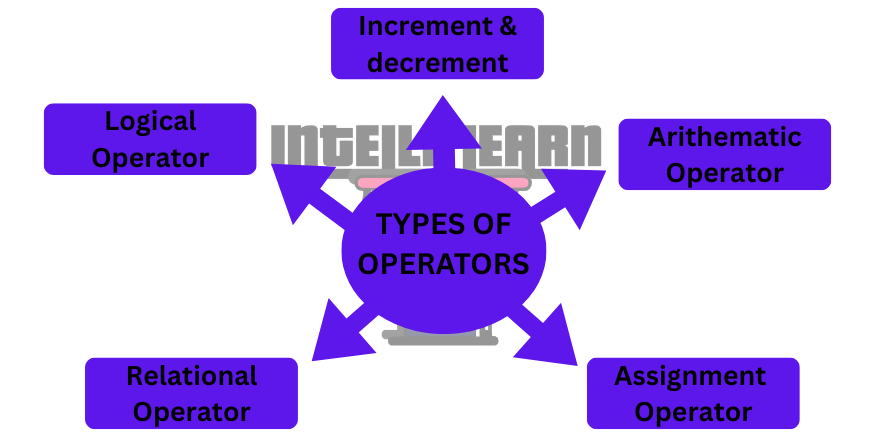
WHAT ARE TYPES OF OPERATOR?
There are 5 types of operator which we mostly use in C:
1. INCREMENT & DECREMENT OPERATOR
DEFINITION:
To increase the value of the variable by 1 and decrease the variable value by 1 we used ++ and -- operator.
SYNTAX:
++variablename;
--variablename;
EXAMPLE:
#include <stdio.h>

int main()
{
	int number1 = 9, number2 = 100;

	printf("NUMBER1 = %d\nNUMBER2 = %d\n",++number1,--number2);
	return 0;
}
In the above example, number1 variable value is increased by 1 and number2 variable value is decreased by 1
OUTPUT:
NUMBER1 = 10
NUMBER2 = 99
2. ARITHEMATIC OPERATORS
DEFINITION:
Arithematic operators are the symbols which we use to perform mathematical operations. For example,
+ is used to perform addition between two variables or variable and number.
| SYMBOL | NAME | EXAMPLE |
| + | uniary plus or additon | result = number1 + number2 |
| - | uniary minus or subtraction | result = number1 - number2 |
| * | Multiplication | result = number1 * number2 |
| / | Division | result = number1 / number2 |
| % | Remainder after division | result = number1 % number2 |
EXAMPLE:
#include <stdio.h>

int main()
{
	int number1 = 30,number2 = 3,result;

	result = number1 + number2;
	printf("ADDITION OF NUMBER1 & NUMBER2 IS: %d\n",result);

	result = number1 - number2;
	printf("SUBTRACTION OF NUMBER1 & NUMBER2 IS: %d\n",result);

	result = number1 * number2;
	printf("MULTIPLICATION OF NUMBER1 & NUMBER2 IS: %d\n",result);

	result = number1 / number2;
	printf("DIVISION OF NUMBER1 & NUMBER2 IS: %d\n",result);

	result = number1%number2;
	printf("REMAINDER AFTER DIVISION OF NUMBER1 & NUMBER2 IS: %d\n",result);

	return 0;
}
In the above example, we have used arithematic operators to perform mathematical operators.
OUTPUT:
ADDITION OF NUMBER1 & NUMBER2 IS: 33
SUBTRACTION OF NUMBER1 & NUMBER2 IS: 27
MULTIPLICATION OF NUMBER1 & NUMBER2 IS: 90
DIVISION OF NUMBER1 & NUMBER2 IS: 30
REMAINDER AFTER DIVISION OF NUMBER1 & NUMBER2 IS: 0
3. ASSIGNMENT OPERATORS
DEFINITION:
Assignment operators is used to assign a value to a variable. You can think about it as
Teacher giving assignment to a student & task of student is to complete and give it back to student.
| OPERATOR | EXAMPLE | SAME AS |
| = | a = b | a = b where b = 5 |
| += | a += b | a = a + b |
| -= | a -= b | a = a - b |
| *= | a *= b | a = a * b |
| /= | a /= b | a = a / b |
| %= | a %= b | a = a % b |
EXAMPLE:
#include <stdio.h>

int main()
{
	int number1,number2 = 5;

	number1 = number2;
	printf("NUMBER1: %d\n",number1);

	number1 += number2;
	printf("NUMBER1: %d\n",number1);

	number1 -= number2;
	printf("NUMBER1: %d\n",number1);

	number1 *= number2;
	printf("NUMBER1: %d\n",number1);

	number1 /= number2;
	printf("NUMBER1: %d\n",number1);

	number1 %= number2;
	printf("NUMBER1: %d\n",number1);

	return 0;
}
In the above example, we have used assignment operators to assign value to the left side variable
For example, a = 5. It means that 5 value is stored inside left-side of the variable i.e a
OUTPUT:
NUMBER1: 5
NUMBER1: 10
NUMBER1: 5
NUMBER1: 25
NUMBER1: 5
NUMBER1: 0
4. RELATIONAL OPERATORS
DEFINITION:
Relational operator is used to check the relationship between two variable or variable and value
whether it is true or false.
| OPERATOR | MEANING OF OPERATOR | EXAMPLE |
| == | Equal to | a == 5 where a is 10 is evaluated to 0 |
| > | Greater than | a > 5 where a is 10 is evaluated to 1 |
| < | Lesser than | a < 5 where a is 10 is evaluated to false |
| >= | Greater than or equal to | a >= b where a is 10 is evaluated to 1 |
| <= | Lesser than or equal to | a <= b where a is 10 is evaluated to 0 |
| != | Not equal to | a != b where a is 10 is evaluated to 1 |
EXAMPLE:
#include <stdio.h>

int main()
{
	int number1 = 5,number2 = 10,number3 = 5,result;

	result = (number1 == number2);
	printf("RESULT (NUMBER1 == NUMBER2): %d",result);

	result = (number1 > number2);
	printf("RESULT (NUMBER1 > NUMBER2): %d",result);

	result = (number1 < number2);
	printf("RESULT (NUMBER1 < NUMBER2): %d",result);

	result = (number1 >= number2);
	printf("RESULT (NUMBER1 >= NUMBER2): %d",result);

	result = (number1 <= number2);
	printf("RESULT (NUMBER1 <= NUMBER2): %d",result);

	result = (number1 != number2);
	printf("RESULT (NUMBER1 != NUMBER2): %d",result);

	result = (number1 != number3);
	printf("RESULT (NUMBER1 > NUMBER3): %d",result);

	return 0;
}
In the above example, we have used relational operators to check the relationship between
two variables whether it is true or false.
OUTPUT:
RESULT (NUMBER1 == NUMBER2): 0
RESULT (NUMBER1 > NUMBER2): 0
RESULT (NUMBER1 < NUMBER2): 1
RESULT (NUMBER1 >= NUMBER2): 0
RESULT (NUMBER1 <= NUMBER2): 1
RESULT (NUMBER1 != NUMBER2): 1
RESULT (NUMBER1 != NUMBER3): 0
5. LOGICAL OPERATORS
DEFINITION:
Logical operator is used to check the relationship between two relations whether
True or False.
| OPERATOR | MEANING OF OPERATOR | EXAMPLE |
| Logical AND (&&) | If any one of the relation is false, the result will be false | If num1 = 10 and num2 = 20 then, expression ((num1==5) && (num2>5)) equals to 0. |
| Logical OR (||) | If any one of the relation is true, the result will be true | If num1 = 10 and num2 = 20 then, expression ((num1==5) && (num2>5)) equals to 1. |
| Logical NOT (!) | Lesser than | If (num1 == 5) is 0 then !(numb1 == 5) is 1 |
EXAMPLE:
#include <stdio.h>

int main()
{
    int num1 = 10, num2 = 10, num3 = 20, result;

    result = (num1 == num2) && (num3 > num2);
    printf("(num1 == num2) && (num3 > num2) is %d \n", result);

    result = (num1 == num2) && (num3 < num2);
    printf("(num1 == num2) && (num3 < num2) is %d \n", result);

    result = (num1 == num2) || (num3 < num2);
    printf("(num1 == num2) || (num3 < num) is %d \n", result);

    result = (num1 != num2) || (num3 < num2);
    printf("(num1 != num2) || (num3 < num2) is %d \n", result);

    result = !(num1 != num2);
    printf("!(num1 != num2) is %d \n", result);

    result = !(num1 == num2);
    printf("!(num1 == num2) is %d \n", result);

    return 0;
}
In the above example, we have used logical operators to check the relationship between
two relations whether it is true or false.
OUTPUT:
(num1 == num2) && (num3 > num2) is 1
(num1 == num2) && (num3 < num2) is 0
(num1 == num2) || (num3 < num2) is 1
(num1 != num2) || (num3 < num2) is 0
!(num1 != num2) is 1
!(num1 == num2) is 0
🧠 Practice Task
Write a program to display 4 variable values of different datatypes values on the screen.
🚀 Challenge
Write a program to calculate the following thing:
- Area of circle,traingle,rectangle,square
- Convert seconds into minutes, minutes into hours, hours into minutes, minutes into seconds
- Convert Degree Celsius into Degree Farenheit